
Discover & Explore Resources
Never use campus passwords to sign up for 3rd-party tools and always read the terms of use. Read more.
Apply Filters
-

Google Maps Street View
Google Maps Street View offers a virtual view of places around the world using millions of panoramic images. These images come from two sources: Google and everyday contributors. Together, these efforts allow people everywhere to explore their surroundings, and faraway destinations, virtually. Anyone can view and contribute photos on Google Maps. Also, discover how to…
-

UB Libraries’ Applied Digital Literacy Coursera MOOC Specialization
This Coursera MOOC Specialization is intended for anyone seeking to develop online, internet researching skills along with advanced knowledge of multimedia for the creation of digital objects such as presentations, infographics, posters, commercials, podcasts, and movies. Through these three courses, learners will cover how to identify their information need, understand which tools to use when…
-

Coggle
Coggle is a collaborative mindmapping tool that allows for the creation and sharing of flexible diagrams that illustrate connections between various concepts. Coggle
-
Physics Girl
Physics Girl is a YouTube channel created by Dianna Cowern about physics, astronomy, and science-related topics. The show features fun DIY demos, unusual and cutting-edge research, space, and expert interviews! Physics Girl
-

Checkology | The News Literacy Project
Checkology® Virtual Classroom can help educators, students, and anyone learn how to tell the difference between fact and fiction. Checkology | The News Literacy Project
-

Frame VR
Immersive presentations and meetings – right from the browser on desktop, mobile, and VR. FRAME is a virtual world environment. It is a beta product from Virbela, which is a full-fledged virtual world that requires an application that needs to be downloaded and installed on a computer. FRAME VR makes it easy to come together…
-

Minecraft: Education Edition
Minecraft: Education Edition is a game-based learning platform that promotes creativity, collaboration, and problem-solving in an immersive digital environment. Minecraft: Education Edition
-

bulb Digital Portfolios
Build a beautiful, powerful digital portfolio. No Coding Required. Bulb started as a platform for students to show they’re more than a test score; it still is the simplest digital formative assessment tool on the market. As the product has grown, it has turned into a global hub where all kinds of people showcase their…
-
Classroom Policies for AI Generative Tools
This resource is a compilation of Classroom Policies for AI Generative Tools created by Lance Eaton for the purposes of sharing and helping other instructors see the range of policies available by other educators to help in the development of their own for navigating AI-Generative Tools (such as ChatGPT, MidJourney, Dall-E, etc). Classroom Policies…
-
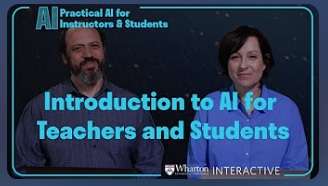
Wharton Interactive Crash Course: Practical AI for Instructors and Students
In this five-part course, Wharton Interactive’s Faculty Director Ethan Mollick and Director of Pedagogy Lilach Mollick provide an overview of AI large language models for educators and students. They take a practical approach and explore how the models work, and how to work effectively with each model, weaving in your own expertise. They also show…
EmTechWIKI only improves with your help.
Rate resources by clicking the up or down arrows when viewing an item’s page, no login needed.
Create an account and log in to contribute new resources to the WIKI. Learn more.